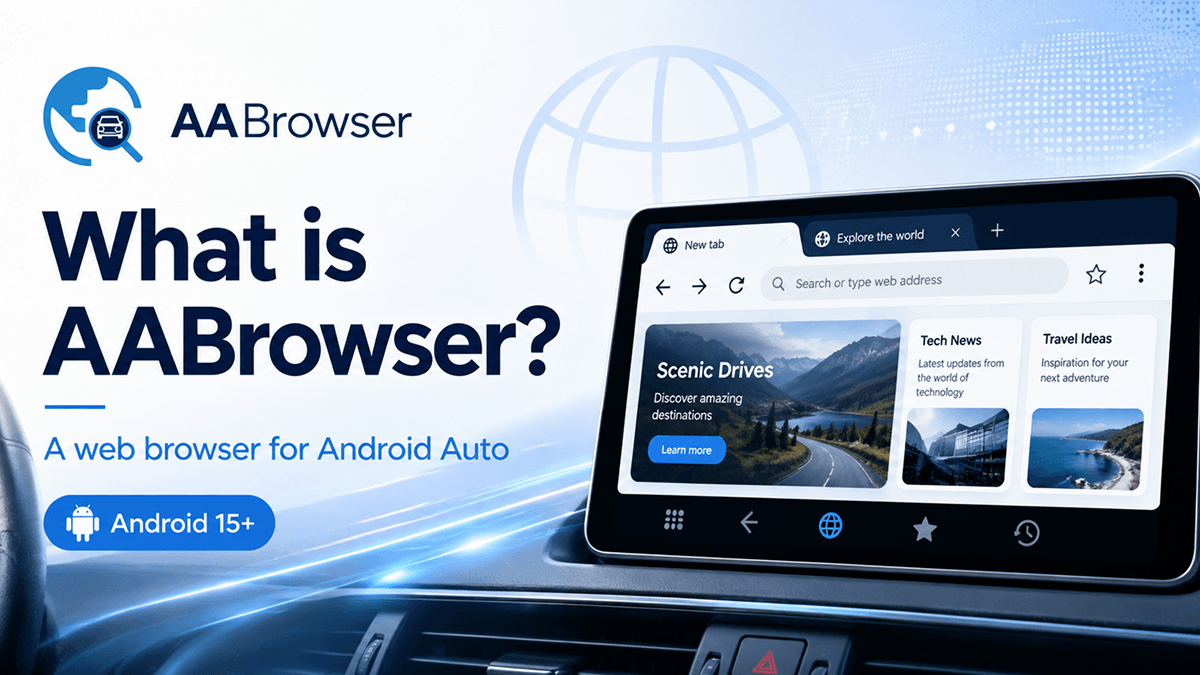
AA Browser also searched as AABrowser or AA Browser is a free, open-source web browser designed specifically for Android Auto. It allows users to open websites through a compatible vehicle display using an interface developed for automotive screens rather than a stretched version of a standard phone browser.
Unlike a conventional Android browser, the AA Browser app focuses on large touch controls, adjustable display scaling, quick website shortcuts, tab management, dark mode, and other features suited to an Android Auto head unit.
AA Browser currently requires Android 15 or later. It is intended only for passengers or for use while the vehicle is safely parked. Drivers must never browse websites or watch videos while operating a vehicle.
What Does AA Browser Do?
AA Browser for Android Auto brings web-browsing functionality to a compatible car display. After installing the application on an Android phone and connecting that phone to Android Auto, users can launch AA Browser from the vehicle’s app menu.
The browser can be used to:
- Open websites on an Android Auto display
- Manage and switch between multiple tabs
- Create shortcuts for frequently visited websites
- Choose desktop or mobile website layouts
- Adjust browser-interface and webpage scaling
- Restore tabs or the last visited page
- Use light, dark, or AMOLED-friendly themes
- Play supported DRM-protected media through Widevine L3
Its interface is purpose-built for car displays, with larger controls and spacing intended to improve usability on a head unit.
AA Browser System Requirements
The current version of AABrowser supports:
- Android version: Android 15 or newer
- Platform: Android Auto
- Installation format: Android APK
- Root access: Not required
- ADB setup: Not required
- Account: Not required
Before downloading the AA Browser APK, check the Android version installed on the connected phone, not the software version of the car’s infotainment system.
Key AA Browser Features
1). Automotive Interface
AA Browser uses an interface created for Android Auto head units. Buttons, menus, tab controls, and navigation elements are sized and positioned for touch interaction on a vehicle display.
2). Multiple Browser Tabs
The browser includes a dedicated tab-management screen. Users can open several webpages, move between them, and restore previous browsing sessions.
3). Desktop and Mobile Website Modes
Some websites work better in desktop mode, while others are easier to navigate using their mobile layout. AA Browser lets users switch between these rendering modes without installing a second browser.
4). Custom Quick Links
The start page can display up to six customizable website shortcuts. These quick links provide faster access to commonly used websites without repeatedly typing their addresses.
5). Display Scaling
Users can change the scale of both the browser interface and webpage content. This can improve readability across different head-unit sizes and screen resolutions.
6). Dark and AMOLED Themes
AA Browser includes a true-black AMOLED theme for darker vehicle interiors, as well as a light theme and experimental dark-page rendering.
7). Session Restoration
The application can restore all previously opened tabs or reopen the last visited webpage when it starts.
8). DRM Video Support
AA Browser includes Widevine L3 support for compatible DRM-protected content. Availability still depends on the website, media provider, account, device configuration, and applicable usage restrictions.
Is AA Browser Safe?
AA Browser is open-source software distributed under the GNU General Public License version 3. Its source code can be reviewed publicly.
According to the project’s privacy information, the browser does not transmit visited URLs, does not require an account, and does not use personal browsing-history synchronization. The project states that it collects only limited anonymous application-launch and version information through self-hosted analytics.
Users should still apply the same precautions they would use with any APK:
- Download it from the official AA Browser or AAStore pages.
- Confirm that the website address is correct.
- Keep the application updated.
- Review permissions before installation.
- Avoid entering sensitive information on unfamiliar websites.
How to Download AA Browser
The recommended AA Browser download method is AAStore.
Installation Overview
- Open Android Auto settings on the Android phone.
- Scroll to the version information.
- Tap the version entry repeatedly to enable Android Auto Developer Settings.
- Open Developer Settings and enable the Android Auto “Unknown sources” option.
- Install AA Browser through AAStore.
- Connect the phone to the vehicle’s Android Auto system.
- Open AA Browser from the vehicle display.
AA Browser installs as an APK and does not require rooting, ADB commands, or modifications to the Android Auto software.
Is There an AA Browser APK?
Yes. AA Browser is distributed as an Android APK because it is not installed through the standard Google Play Store process.
Searches such as AA Browser APK, AABrowser APK, AA Browser Android Auto APK download, and AA Browser latest version generally refer to this installation package.
Avoid downloading old version-numbered files from unknown APK websites. An older package may not support Android 15, may lack recent fixes, or may have been modified by a third party. Use AAStore or a release source linked from the official AA Browser website.
Does AA Browser Work on iPhone or Apple CarPlay?
No native AA Browser for iPhone, AA Browser iOS, or AA Browser Apple CarPlay application is currently available.
AA Browser is built for Android Auto and requires an Android 15+ phone. It cannot be installed as an iOS application, and an Android APK cannot run directly on an iPhone.
Users searching for an AA Browser iOS download should be cautious of websites claiming to provide an official iPhone version. The official project states that no native AA Browser application exists for iOS or CarPlay.
Can AA Browser Be Used While Driving?
No. AA Browser should never be operated by the person driving.
It is intended exclusively for:
- Use by a passenger
- Use while the vehicle is safely parked
- Stationary testing or configuration
Trying to browse websites, adjust tabs, enter URLs, or watch video while controlling a vehicle creates a serious distraction and may violate local traffic laws.
Queries such as AA Browser not working while driving or AA Browser not available while driving can relate to Android Auto safety restrictions or application behavior. These restrictions should not be bypassed. Park safely before troubleshooting or using the browser.
AA Browser Not Showing in Android Auto
When AA Browser is not showing in Android Auto, check the following:
Confirm the Android Version
The connected phone must run Android 15 or later.
Enable Android Auto Developer Mode
Developer Settings must be enabled inside the Android Auto application settings.
Enable Unknown Sources
The relevant “Unknown sources” setting is inside Android Auto Developer Settings. It is separate from the phone’s general APK-installation permission.
Reconnect Android Auto
Disconnect and reconnect the phone after installation. Restarting the phone and the vehicle’s infotainment system may also refresh the available-app list.
Open the Application on the Phone
Launch AA Browser once on the phone, complete any initial setup, and then reconnect to Android Auto.
Check the Android Auto Launcher
Open Android Auto’s launcher-customization settings and verify that AA Browser has not been hidden.
The official installation guidance also notes that some configurations may require opening Waze before AA Browser appears.
Final Thoughts
AA Browser provides a web-browsing experience designed specifically for Android Auto rather than adapting a standard mobile-browser interface to a car display. Its multi-tab browsing, quick links, display controls, theme options, session restoration, open-source code, and account-free operation make it a flexible option for compatible Android Auto systems.
The main requirement is an Android phone running Android 15 or later. Use the browser responsibly, and never interact with it while driving.
Frequently Asked Questions
What is AA Browser?
AA Browser is an open-source web browser built for Android Auto displays. It provides tabs, website shortcuts, display scaling, desktop and mobile modes, dark themes, session restoration, and supported media playback.
Is AA Browser free?
Yes. AA Browser is presented as free and open-source software licensed under GPLv3.
What Android version does AA Browser require?
AA Browser requires Android 15 or newer.
Does AA Browser support Android 14?
No. The current application requirement is Android 15+. Queries for AA Browser for Android 14 generally refer to older compatibility information.
Does AA Browser require root access?
No. Rooting and ADB installation are not required.
Is AA Browser in the Google Play Store?
AA Browser is installed as an APK rather than through the normal Play Store process. AAStore is the recommended installation route.
Can AA Browser play YouTube or other video content?
It can open video websites and supports compatible DRM-protected playback through Widevine L3. Actual playback depends on the website, service restrictions, device, and media format.
Is AA Browser available for iOS?
No. There is no native AA Browser app for iPhone or Apple CarPlay.
Can the driver use AA Browser?
No. It must only be used by a passenger or while the vehicle is safely parked.